

 EN
 英语
 中文简体
 西班牙语
 越南语
 葡萄牙语
 土耳其语
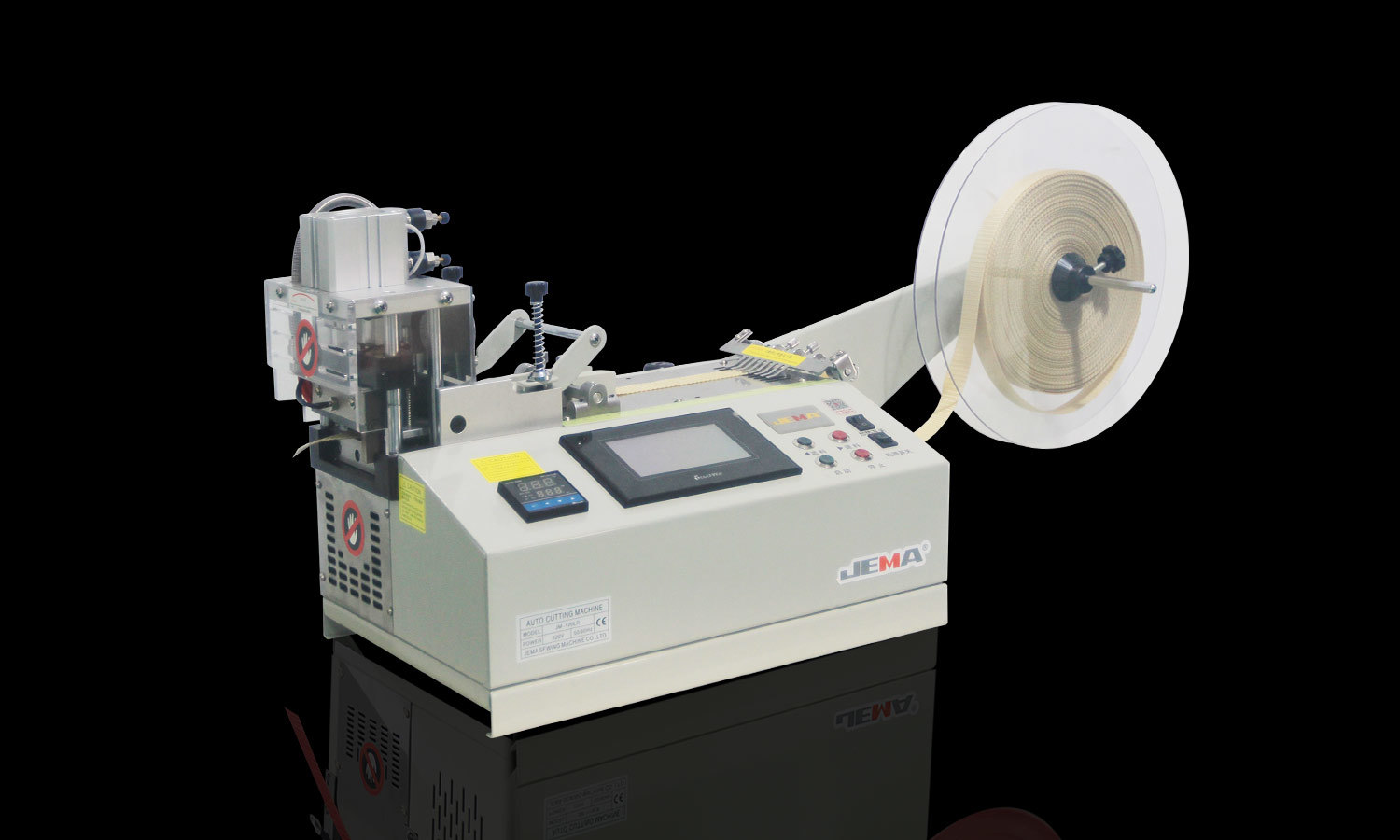
Computer tape cutting machine (cold knife) JM-120L
The JM-120L Computer Tape Cutting Machine (Cold Knife) is built for those repeat cutting jobs that c...
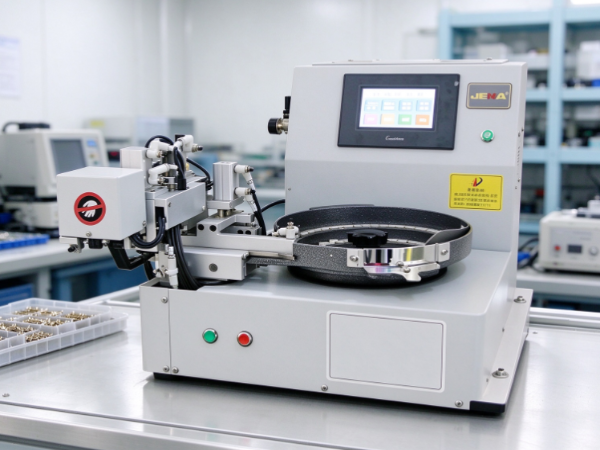
Button feeders play an important role in automated production lines, especially in garment manufacturing and clothing accessory processing. They move buttons into the correct position so equipment handles them with less manual intervention. The feeding process looks simple. Yet a button's shape has a noticeable effect on how smoothly the system runs.
Buttons come in many forms. Some are flat and round, while others are oval, square, domed or irregular. Their surfaces are smooth, textured, recessed or decorated with raised details. These differences shape how buttons move along a feeding track, how they respond to vibration and how easily a machine identifies and orients them.
A button feeder designed for one style won't necessarily handle another the same way. Changes in shape affect movement, alignment, feeding consistency and the likelihood of jams. For manufacturers, understanding these links helps when selecting feeding equipment, developing new products or adjusting an existing line.
A button feeder moves individual buttons from a supply area toward a designated output position. Depending on the equipment, buttons travel through a bowl, track, guide channel or another feeding structure. Along the way, the system separates buttons, controls their orientation and delivers them in a form downstream equipment can use.
Button shape affects every stage of this process.
A flat, round button slides and rotates differently from a thick button with a raised center. A square button catches on a guide in a way a circular one doesn't. An irregular button has several possible resting positions, so the feeder struggles to deliver it consistently.
These differences change how the button interacts with surrounding surfaces. Shape decides where contact occurs, how the button balances and whether it moves freely through narrow spaces.
The effect grows when a feeder handles buttons in large quantities. Even a small tendency to overlap, tilt or turn into an unsuitable position interrupts the flow of parts. Operators then stop the machine, clear a blockage or adjust the feeding arrangement.
Shape also affects the design of the feeding path. A channel that guides a flat button may not give enough clearance for a thick or curved design. A sorting mechanism that relies on a button's outer edge struggles when that edge is uneven or decorated.
So treat the button itself as a key part of feeder selection. Suitability depends on the machine's general function and on the physical features of the components it handles.
The outer shape of a button influences how it moves through a feeder. Round, square, oval and irregular designs each bring different handling conditions.
Round buttons have a continuous curved edge. That lets them rotate without corners catching on the track. They still overlap, stack or turn in unwanted directions, especially when they're thin or smooth.
Square and rectangular buttons have corners that touch guide surfaces at specific points. Those corners help the feeder tell suitable positions from unsuitable ones, but they also catch on narrow channels or neighboring buttons. If the track doesn't fit the button's overall width and corner shape, movement turns inconsistent.
Oval buttons have a longer and a shorter axis. Orientation affects how easily they pass through a guide channel. A button that glides along lengthwise gets stuck or spins when it sits across the track.
Irregular buttons are harder to handle because their edges follow no consistent outline. Decorative shapes have protrusions, cutouts or uneven sections that change how the button rests and moves. The feeder needs a more carefully designed sorting and guiding arrangement.
The table below outlines common considerations.
| Button Shape | Possible Feeding Challenge | Design Consideration |
|---|---|---|
| Round | Overlapping or unwanted rotation | Control spacing and orientation |
| Square | Corners catching against guides | Provide suitable clearance |
| Oval | Movement changes with orientation | Guide the button along a consistent path |
| Rectangular | Uneven movement through narrow tracks | Match the track to the button's dimensions |
| Irregular | Unpredictable contact and resting positions | Evaluate the actual shape during testing |
| Domed | Rolling, tilting, or unstable contact | Consider height and contact points |
These are general tendencies, not fixed rules. Surface finish, thickness, material and weight change how a particular design behaves. Testing the actual button beats choosing a feeder from shape labels alone.
Button shape goes beyond the outline seen from above. Thickness, curvature, raised details and surface texture all influence feeding stability.
A thin button slides easily through a track, but it also overlaps with another button or enters a narrow space at a bad angle. When two buttons lie close together, their edges slip over one another and form a blockage.
A thicker button behaves differently. Its greater height changes the space it needs and the way it contacts the track. If the guide channel is too narrow or shallow, the part tilts or gets trapped during movement.
Domed buttons add another wrinkle. Their curved surfaces make them rock or rest at different angles. A feeder that relies on stable contact with a flat face needs adjustments for buttons with raised centers or rounded backs.
Surface features affect movement too. Raised patterns, decorative rims, recessed areas and textured finishes change how buttons touch each other and the track. Some details raise friction in certain positions. Others create contact points that interfere with smooth movement.
Material surface matters as well. Two buttons with similar shapes behave differently if one is smooth and the other rough or rubber-like. The difference shows up in sliding, rotation and the tendency of parts to move together as a group.
When a feeding problem appears, inspect the complete button profile. Length and width alone won't tell the story. A side view reveals features that affect clearance, balance and contact with the track.
Check also whether the button design changed between batches. Small shifts in thickness, decorative details or surface finish upset a feeder that ran without trouble before.
A button passes through a feeding system successfully and still arrives in the wrong position. That's a common challenge when downstream equipment needs a particular face, edge or hole arrangement presented consistently.
Orientation describes how a button is positioned as it moves through the feeder. Depending on the design, it travels face up, face down, with its holes aligned in a certain direction or with a specific edge leading.
Shape decides how easily the feeder tells these positions apart.
A round, flat button looks similar from several directions. If both faces are alike, the feeder doesn't need to distinguish between them. If one face has a raised design and the other is flat, the difference matters.
Square and rectangular buttons need to follow a specific direction when the receiving machine has a narrow entry point. Oval buttons often need to align along their longer axis. Irregular buttons are harder to orient because the outline offers no clear reference point.
Holes and other functional details add requirements. A button with multiple holes has to sit so the next machine can grip, stitch or process it correctly. The outer shape alone doesn't show whether the part is ready for the next step.
Feeding systems control orientation with mechanical guides, shaped tracks, sensors or other arrangements. The right method depends on the button design and the line's needs.
If the shape is hard to distinguish by touch or outline, a simple mechanical arrangement won't reliably reject every unwanted position. Manufacturers then review the sorting method or add detection features.
Consistent orientation cuts interruptions and makes the handoff between feeder and next machine more predictable. It also spares operators from repositioning buttons by hand.
Jams happen when parts stop moving through the feeder as intended. Shape is one cause, because it determines how buttons fit together and interact with the track.
Overlapping is a common issue. Thin or curved buttons slide onto one another and form a cluster that can't pass through the guide channel. If the feeder keeps supplying parts, the cluster tightens and blocks the flow.
Corner catching is another. Square buttons or designs with protruding details lodge against an edge or guide. It may happen only in certain orientations, so it's hard to reproduce in a brief inspection.
Buttons also bridge across a channel. A part rests across an opening instead of moving through it. Long, oval or irregular buttons are more prone to this obstruction when the guide arrangement doesn't suit their shape.
Unstable movement causes interruptions too. Domed or uneven buttons rock, turn sideways or enter the track at an angle. The next button hits the misplaced part, and a blockage follows.
These problems have causes beyond the button. Excessive or unsuitable vibration, track wear, poor adjustment, contamination and inconsistent part dimensions all contribute to jams.
When an interruption occurs, operators should watch where the buttons stop and how they sit. If the same shape keeps catching at the same location, review the track or guide. If different shapes all stop at the same point, the issue lies elsewhere in the feeding system.
Clearing a jam without finding the cause restores production for a while, but the interruption returns. A closer look at button geometry and movement tells the team whether to adjust the equipment, change the feeding arrangement or investigate another process factor.
The feeding track guides buttons from one stage of the system to the next. Its width, depth, surface, curves and transitions all influence how parts move. Matching these features to the button shape is a core part of feeder design.
A track that's too wide lets buttons turn sideways or drift in several directions. A track that's too narrow restricts movement and makes parts catch. The right arrangement depends on the button's overall dimensions, thickness, shape and required orientation.
Track depth matters too. Flat buttons need only a shallow guide, while thicker or domed buttons need a different profile to stay stable. The guide should control the part without adding needless resistance.
Curves and direction changes deserve attention as well. A button that moves smoothly along a straight section behaves differently at a bend. Square corners, long edges or decorative projections interact with the track at these points.
The transition between track sections also affects feeding. If the guide's shape changes abruptly, a button tilts, rotates or catches at the junction. Smooth transitions help maintain movement, as long as the track still gives the control needed for correct orientation.
Don't assume one track design handles every button style. A feeder used for several product types needs adjustable guides or interchangeable components. In other cases, a dedicated feeding arrangement works better.
Test with the actual buttons and the complete feeding path. Watching movement through the bowl, track, sorting area and output point reveals where a particular shape turns unstable.
The goal is a path that lets the button move freely while keeping it in a position suited to the next operation.
A new button design changes feeding behavior even when it looks similar to an existing product. Before it enters routine production, manufacturers evaluate how it moves through the feeder and whether the equipment keeps a consistent supply.
Testing starts with the physical button. The team examines its outline, thickness, weight, surface finish, holes and decorative features. These details flag possible challenges before the machine runs.
Next, observe how the button behaves during feeding. Useful questions include:
Cover the complete feeding process, not just the initial movement. A button travels through the bowl without trouble and then turns unstable near the output point, where the track or receiving mechanism has different requirements.
Examine how the feeder behaves with a normal supply of parts, too. A small sample moves smoothly, while a larger quantity creates more overlapping or orientation problems. Repeated trials reveal these patterns.
If the feeder needs adjusting, change one thing at a time. Altering several settings at once hides which change improved the result. The team records the button style, observed issue, adjustment and outcome.
For manufacturers that regularly introduce new button designs, a record of tested shapes makes future setup easier. Similar designs often share handling characteristics, though testing still has to confirm suitability.
When choosing a button feeder, buyers need to consider the actual components the equipment will handle. A general description of feeding capacity or machine function rarely shows whether the system suits buttons with unusual shapes, raised surfaces or specific orientation requirements.
The intended application should guide the evaluation. A feeder for common flat buttons has different requirements from one handling thick decorative buttons or irregular accessories.
Give the supplier representative button samples whenever possible. Drawings and photographs help, but physical samples let the supplier evaluate the actual profile, surface and movement characteristics.
The points below guide the selection process.
| Evaluation Area | Questions to Ask |
|---|---|
| Button shape | Which button outlines can the feeder handle? |
| Thickness and profile | Can the system accommodate flat, thick, or domed buttons? |
| Orientation | Does the receiving equipment require a specific button position? |
| Track design | Can the guide path be adjusted for different button styles? |
| Changeover | How difficult is it to switch between button types? |
| Jam handling | How can operators identify and clear feeding interruptions safely? |
| Testing | Can the supplier test representative buttons before equipment acceptance? |
| Maintenance | Are the tracks and guides easy to inspect and clean? |
| Integration | Can the output arrangement match the requirements of the next machine? |
Buyers should also think about future product changes. A factory that processes several button styles needs a feeder that supports different shapes with manageable changeover procedures. A line dedicated to one button design has different priorities.
Supplier support counts too. Clear setup instructions, maintenance guidance and troubleshooting information help operators understand how button shape affects machine behavior.
Base the decision on how the feeder handles the intended buttons under realistic production conditions. Reviewing shape, orientation, track compatibility and changeover needs together gives buyers a clearer basis for judging equipment suitability.
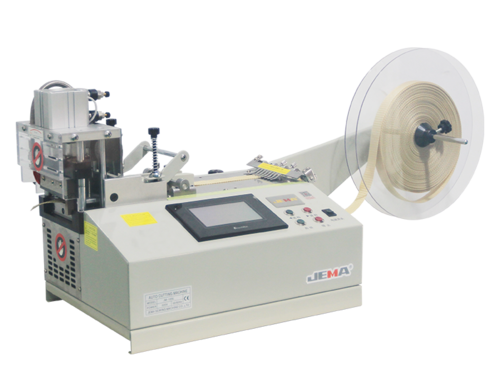
The JM-120L Computer Tape Cutting Machine (Cold Knife) is built for those repeat cutting jobs that c...

special function: This sturdy machine is completely used for the manufacture of braided belts....
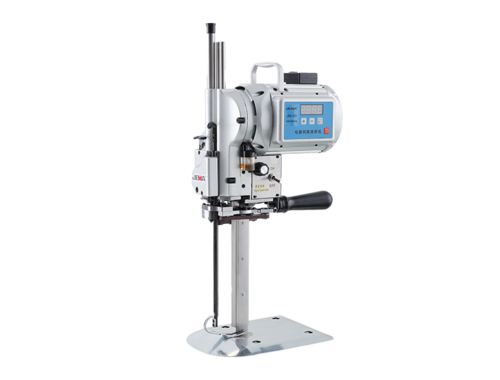
Features The JM-3D/3/103 electric cutting machine is compatible with KMCK8-EU Eastman Ele...
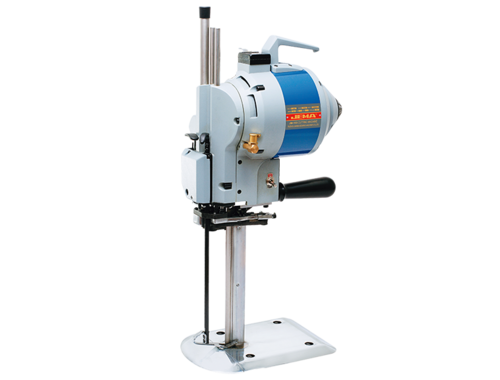
Features The JM-3D/3/103 electric cutting machine is compatible with KMCK8-EU Eastman Ele...

25 Years specializing in the production of various cutting machines.
©2021 Taizhou JEMA Sewing Machine Co., Ltd. Custom Elastic Tape Cutting Machine Manufacturers


 +86-576-88177528
 +86-576-88172167

 367# Guangxing Road, Xiachen Street, Jiaojiang District, Taizhou City, China.